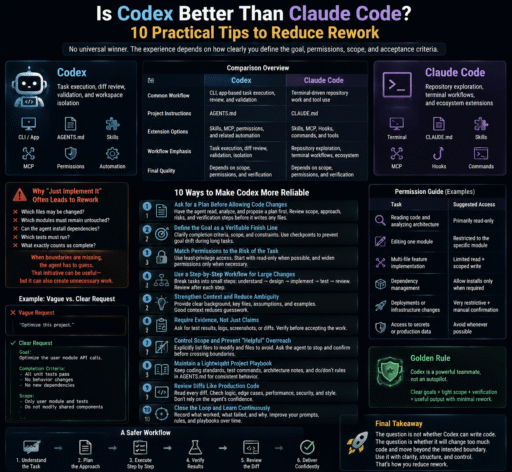

When I first started using Codex, I loved watching it move quickly through a repository.
I could type, “Please implement this feature,” and the agent would inspect files, call tools, and begin editing almost immediately.
It felt powerful.
The more I used it, however, the less willing I became to let it change code right away.
Not because Codex was too weak—but because it could sometimes be too capable.
Ask it to adjust a button, and it may also reorganize imports, edit a shared component, rename nearby variables, and turn a local fix into a small refactor.
The feature may still work, but the review surface becomes much larger.
After opening one unexpectedly long diff after another, I realized that the central concern in AI coding had changed:
The question is no longer whether an agent can write code. The question is whether it will change too much code and move beyond the intended boundary.
So, is Codex really better than Claude Code?
My answer is simple:
There is no universal winner. The quality of the experience depends on how clearly you define the goal, permissions, scope, and acceptance criteria.
The following ten techniques have helped me reduce rework and keep Codex useful without allowing it to become unnecessarily expansive.
Codex vs Claude Code: Which One Is Better?
It is difficult to reach a reliable conclusion by comparing a single generated function or watching a short demonstration.
The result depends on:
- The model and version;
- Repository size;
- Project documentation;
- Permission settings;
- MCP and tool integrations;
- Test coverage;
- The clarity of the acceptance criteria.
The two tools also emphasize somewhat different workflows:
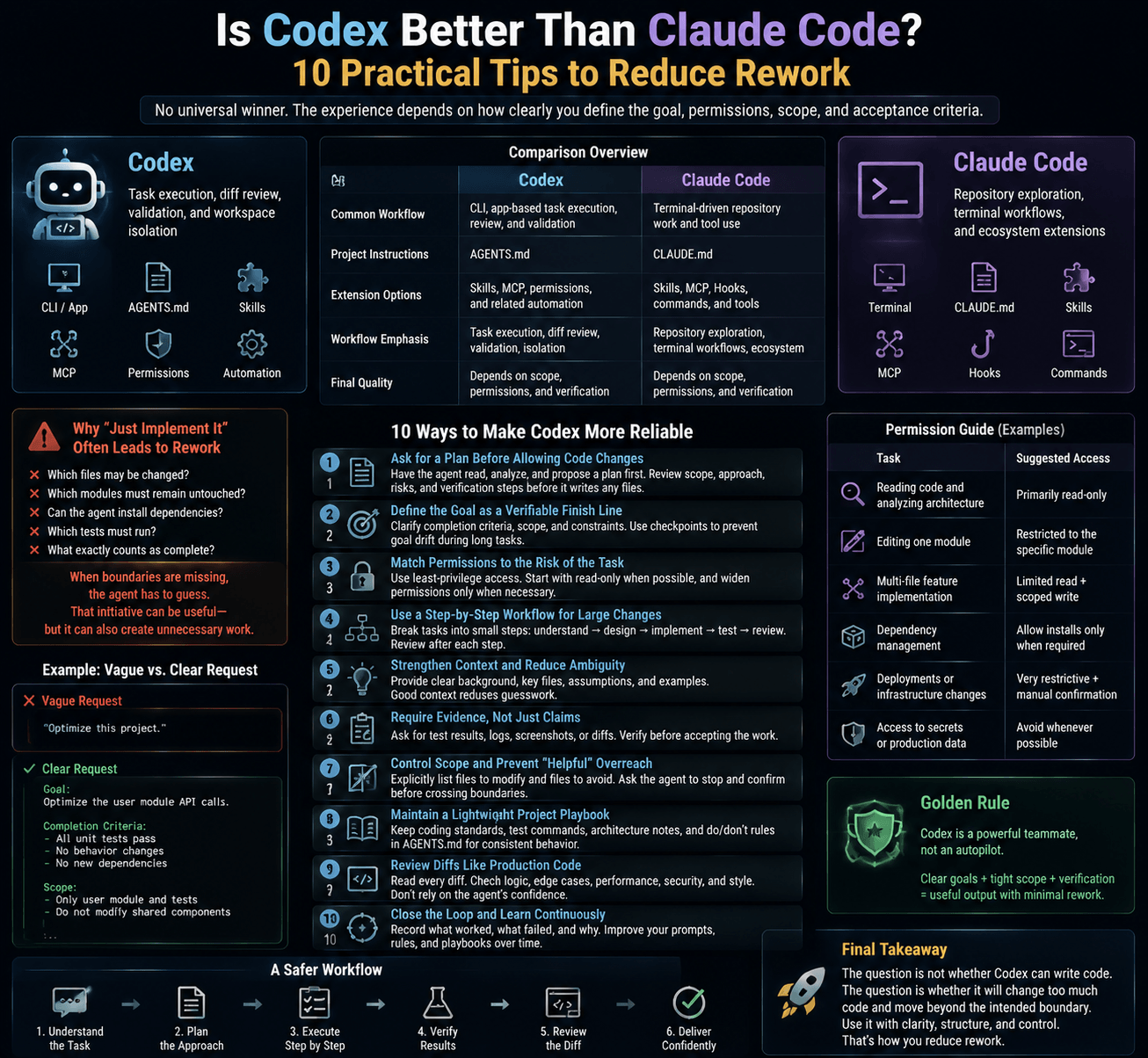
| Area | Codex | Claude Code |
|---|---|---|
| Common workflow | CLI, app-based task execution, review, and validation | Terminal-driven repository work and tool use |
| Project instructions | AGENTS.md |
CLAUDE.md |
| Extension options | Skills, MCP, permissions, and related automation | Skills, MCP, Hooks, commands, and community tools |
| Workflow emphasis | Task execution, diff review, validation, and workspace isolation | Repository exploration, terminal workflows, and ecosystem extensions |
| Final quality | Depends heavily on scope and verification | Also depends heavily on context, permissions, and verification |
This is not a benchmark table.
A more accurate conclusion is:
Codex and Claude Code are both capable coding agents. The more important question is which interaction model fits your engineering process.
Why “Just Implement It” Often Leads to Rework
A common Codex request looks like this:
“Please implement this feature.”
The request describes the desired outcome, but it does not answer several critical questions:
- Which files may be changed?
- Which modules must remain untouched?
- Can the agent install dependencies?
- Is refactoring shared code allowed?
- Which tests must run?
- What exactly counts as complete?
When those boundaries are missing, the agent has to fill them in.
That initiative can be useful—but it can also create unnecessary work.
I now treat Codex like a highly productive new teammate. It can move quickly, but before it starts, I need to define the destination and identify the roads it must not take.
10 Ways to Make Codex More Reliable
1. Ask for a Plan Before Allowing Code Changes
For multi-file changes or requirements I have not fully clarified, I no longer let Codex begin editing immediately.
If the current client supports a planning command or mode, I use it. Otherwise, I send a plain-language instruction:
Do not modify any files yet.

Read the relevant files and provide an implementation plan:

1. Which files need to change?
2. What will change in each file?
3. Which files or modules will remain untouched?
4. How will the result be verified?
5. What are the most likely failure points?

Wait for my approval before writing files.
This adds a few minutes at the beginning, but it can prevent much more rework later.
It helps reveal whether the agent:
- Misunderstood the requirement;
- Plans to edit unrelated modules;
- Intends to add unnecessary dependencies;
- Has forgotten testing;
- Is using “it should work” as a substitute for verification.
- The more complex the task, the more important it is to separate requirement understanding from code modification.
2. Define the Goal as a Verifiable Finish Line
Long-running migrations, refactors, and batch fixes can drift away from their original purpose.
“Optimize this project” is not a useful goal.
There is no clear finish line, so the agent cannot reliably measure progress.
A stronger goal looks like this:
Goal:
Migrate the user module from the legacy API to the new API.

Completion criteria:
- All related unit tests pass.
- Existing user-facing behavior remains unchanged.
- Authentication and authorization logic must not change.
- No new production dependencies may be added.
- The final report must list changed files, verification commands,
  and failed attempts.

Scope:
- Only modify the user module and its direct tests.
- Do not refactor unrelated shared components.
- Pause and explain if the API definitions conflict.
For long tasks, I also ask for periodic checkpoints:
Pause and review the current state:

1. What remains before the completion criteria are met?
2. Has the original scope been exceeded?
3. Were any unplanned changes introduced?
4. What is the next step?
A well-structured response does not necessarily mean the task is still moving in the right direction.
Regular alignment helps prevent silent goal drift.
3. Match Permissions to the Risk of the Task
If permissions are too restrictive, Codex constantly stops to ask for approval.
If they are too broad, it may access sensitive files, use the network, or modify more than expected.
I now adjust permissions according to task risk:
| Task | Suggested Access |
|---|---|
| Reading code and analyzing architecture | Primarily read-only |
| Editing one module | Restricted to the project workspace |
| Installing dependencies | Require approval |
| Accessing the network | Restrict domains and purpose |
Reading .env or secret files |
Deny by default |
| Database, payment, or authorization changes | Use strict approval |
| Destructive commands | Always require human confirmation |
Least privilege does not mean preventing the agent from working.
It means giving it only the authority required for the current task.
For payment, authentication, database migration, and security work, I would rather approve several extra steps than review one enormous, high-risk diff later.
4. Treat AGENTS.md as an Engineering Contract
An AGENTS.md file should not be filled with vague statements such as:
Keep the code elegant.
Follow best practices.
Improve code quality whenever possible.
Those instructions sound reasonable, but they are difficult to verify.
A stronger file contains concrete rules:
## Scope

- Do not refactor modules unrelated to the task.
- Do not add production dependencies unless explicitly required.
- Prefer the smallest change that satisfies the requirement.

## Verification

- After front-end changes, start the local application and inspect the target page.
- After API behavior changes, run the related tests.
- If tests cannot run, explain why. Do not claim that verification passed.

## Review

- Report genuine engineering risks, not style preferences.
- Clearly label uncertain conclusions.
- Do not recommend unrelated refactors.

## Safety

- Do not read or modify `.env`.
- Do not expose API keys, tokens, or personal data.
- Do not modify authentication, payment, or authorization logic
  unless the task explicitly requires it.
I think of AGENTS.md as an engineering agreement between the user and the agent, not a collection of personal preferences.
The more testable the rules are, the more predictable Codex becomes.
5. Enforce Critical Rules with Hooks or Deterministic Checks
Some boundaries are too important to rely on prompts alone.
Examples include:
- Never modify
.env; - Block dangerous commands;
- Run lint after certain files change;
- Require tests before a commit;
- Stop processing if secrets are detected.
If a rule must always be enforced, use Hooks, Git Hooks, CI, wrapper scripts, file permissions, or another deterministic control.
The distinction is useful:
AGENTS.md explains the rules. Hooks and automated checks verify that the rules were followed.
If the current Codex version does not support the Hook point you need, alternatives include:
pre-commit;- GitHub Actions;
- Shell wrappers;
- Containers and sandboxes;
- File-system permissions;
- Branch protection;
- Code-owner rules.
If software can enforce a safety requirement reliably, do not leave the entire responsibility to model behavior.
6. Inspect the Diff After the First Round
When Codex completes its first round of changes, I do not immediately ask it to continue.
I inspect the diff.
If the current client has a built-in diff command, I use it. Otherwise:
git diff --stat
git diff
I check four things:
- Is the number of modified files reasonable?
- Did unrelated formatting or renaming appear?
- Were shared components or core configuration files changed?
- Does the actual implementation match the approved plan?
If the direction is wrong, stopping after the first round is much cheaper than waiting until the agent has added tests, updated documentation, and polished the wrong solution.
A diff is not only a final review artifact. It should also be used as a steering mechanism during execution.
7. Ask Reviews to Focus on Real Risks
A broad “Please review this code” request often produces low-value comments:
- This variable could have a better name;
- This logic could be extracted;
- This code could be more elegant;
- Another design pattern might be cleaner.
Those suggestions are not always wrong, but they create review noise.
I prefer a more focused instruction:
Review the current diff.

Only report:
- Functional bugs;
- Security risks;
- Regression risks;
- Missing edge cases;
- Missing or ineffective tests;
- Changes that do not match the requirement.

Do not report style preferences.
Do not recommend unrelated refactoring.

For every issue, include the file location, trigger condition,
and practical impact.
If the client supports inline comments, I leave feedback directly beside the relevant code:
Do not swallow this exception.
The caller needs to know why the operation failed.

Address only this inline comment and keep the change minimal.
Inline feedback is more precise than trying to describe “the third if in the function you changed earlier.”
8. Verify Front-End Work in a Browser
Passing lint does not prove that a page works.
Passing unit tests does not guarantee that the mobile layout is correct.
A single screenshot cannot prove that buttons work, dialogs stack correctly, or loading and error states behave as expected.
My rule is now simple:
Do not call a front-end task complete until the target page has been opened and tested.
If the Codex environment supports an integrated browser or browser tool, I use an instruction like this:
Start the local application and open:
http://localhost:3000/settings

Only verify this page:

- Desktop width;
- Mobile width;
- Loading state;
- Empty state;
- Error state;
- Form submission and validation errors.

If you find a visual problem, capture and explain it before editing.
Do not expand the scope to unrelated pages.
The important part is not merely “use a browser.”
The acceptance target must be explicit:
- Which page?
- Which viewport sizes?
- Which interactions?
- Which states?
- Which areas must remain unchanged?
Without those boundaries, an agent may turn a small UI fix into an unintended redesign.
9. Isolate Context with Subagents and Worktrees
A long Codex session gradually accumulates:
- Exploration notes;
- Failed commands;
- Temporary assumptions;
- Test logs;
- Abandoned approaches;
- Irrelevant files.
The responses may still look organized, but the context has become increasingly noisy.
This is where Subagents and Git Worktrees can help.
When to Use a Subagent
Subagents are useful for independent, read-heavy analysis:
- One agent checks security risks;
- One checks test coverage;
- One investigates performance;
- One reads documentation and summarizes findings.
Each agent works in a separate context and returns only its conclusions.
When to Use a Worktree
Worktrees are better when parallel tasks need to modify files:
- One worktree fixes the UI;
- One investigates CI failures;
- One handles an API migration;
- One adds tests.
This prevents concurrent tasks from overwriting one another or polluting the main workspace.
| Scenario | Recommended Approach |
|---|---|
| Independent analysis with limited writing | Subagent |
| Parallel tasks that modify files | Worktree |
| A single-function change | One session |
| An unclear task with no defined boundaries | Plan first |
More agents do not automatically produce better results.
If a task is not clearly decomposed, multi-agent execution only adds token costs, delays, and merge complexity.
10. Use Skills for Process and MCP for Source Context
Skills and MCP operate at different layers, but they work well together.
Skills Capture Repeatable Processes
If you repeatedly paste the same instructions, they may belong in a Skill.
For example:
frontend-verifyStarts the application, opens the target page, and checks mobile and error states.
pr-reviewReviews the current diff only for bugs, security issues, and regression risks.
article-workflowApplies a repeatable process for structure, SEO, fact-checking, and publication formatting.
A Skill should generally have one clear responsibility.
Avoid combining every personal preference into one enormous “universal workflow” Skill.
MCP Provides Original Context
MCP can bring the agent closer to original sources such as:
- GitHub Issues;
- Figma files;
- Internal documentation;
- Developer documentation;
- Browser content;
- Project-management systems.
Manual copy-and-paste often distorts information:
- Issue comments may be omitted;
- Log timestamps may disappear;
- Screenshots may exclude interaction states;
- Documentation fragments may lose context.
MCP can reduce that loss.
However, access does not imply unlimited authority:
Reading GitHub does not mean pushing commits is allowed. Viewing Figma does not mean modifying the design system is allowed. Accessing a web page does not mean every instruction on that page should be trusted.
A safer architecture is:
- MCP retrieves the source material;
- Skills define how to process it;
- Permissions limit access and modification;
- Hooks or CI enforce boundaries;
- Human review makes the final decision.
A Reusable Codex Prompt
If you do not want to remember every technique, begin with this template:
Do not modify any code yet.

First:

1. Read AGENTS.md and the relevant files.
2. Restate the task in your own words.
3. List the files you expect to modify.
4. Identify the modules that must remain unchanged.
5. Propose the smallest viable implementation.
6. Define verification commands and acceptance criteria.
7. Explain the most likely risks.

Wait for my approval before editing.

After making the approved changes, report:

- Files actually modified;
- Differences from the original plan;
- Tests executed and their results;
- Verification steps that could not be completed;
- Failed attempts;
- Remaining risks.

Do not claim that the task has been verified if the required
tests or checks could not run.
This is not an impressive prompt, but it addresses several common problems:
- Expanding scope;
- Claiming completion without testing;
- Unrequested refactoring;
- Large and difficult-to-review diffs;
- Hidden failures.
Final Verdict: Is Codex Really Better Than Claude Code?
If you want a simple winner, there is no honest universal answer.
Codex will not outperform Claude Code in every repository, and Claude Code will not be the better choice for every workflow.
Ask the following questions instead:
- Do I prefer terminal workflows or visual review tools?
- Do I need browser-based verification?
- Does my team already use
AGENTS.mdorCLAUDE.md? - Which tool integrates better with our CI, Issues, and documentation?
- Which permission model fits our security requirements?
- Have we already invested in Skills, Hooks, or MCP integrations?
- Which tool produces less rework on our real tasks?
The best comparison is not a model benchmark or a short demo.
Run three to five representative tasks and measure:
- Time to first completion;
- Number of human corrections;
- Diff size;
- Test pass rate;
- Token or subscription cost;
- Security and permission risk;
- Final review time.
The right tool is the one that makes the entire delivery process more reliable—not merely the one that generates code fastest.
Final Thoughts
The ten techniques above share one principle:
Do not treat Codex as a magic button. Treat it as an interface between engineering intent and automated execution.
The tools will continue to change.
Today, we have planning, permissions, diffs, reviews, Skills, MCP, Worktrees, Subagents, and browser tools. Tomorrow, there will be more.
A reliable workflow remains stable:
- Define the problem;
- Provide the necessary context;
- Set a clear scope;
- Grant the minimum permissions;
- Make the smallest useful change;
- Verify the result;
- Keep final judgment with a human.
Codex is good at execution—but only if you know what “done” means.
If the acceptance criteria are unclear, the agent has to invent them. If the scope is unclear, the change can keep expanding.
As AI coding agents become more capable, the most important skill is no longer asking them to do more.
It is learning how to make them do the right work, within the right boundaries, and stop at the right moment.
Frequently Asked Questions
Is Codex or Claude Code better for beginners?
Both can be useful. Beginners should focus on permissions, Git diffs, tests, and small reversible changes rather than generation speed.
What is the difference between AGENTS.md and CLAUDE.md?
AGENTS.md is commonly used to provide project instructions to Codex and other compatible agents. CLAUDE.md serves a similar purpose in Claude Code. Their loading behavior and scope may differ.
How can I stop Codex from changing too many files?
Ask for a plan before editing, list the files it may change, identify protected modules, and define acceptance criteria. Inspect the diff after the first round.
Should Codex be allowed to read .env files?
Sensitive files should be denied by default. Reinforce this with permissions, sandboxing, file-system controls, and automated checks.
Are multiple agents always more efficient?
No. Multi-agent workflows help when tasks can be separated cleanly and would otherwise generate large amounts of context or conflicting file changes.
What is the difference between Skills and MCP?
Skills define reusable workflows. MCP connects agents to external tools and source data. In simple terms, MCP provides the material, while Skills describe how to process it.